


.png)

Unlocked Fall 2026 is live.
Here's everything that's new in the Supplier Portal and what it means for your business.
New Performance updates: see your whole business at a glance
Open Performance today and you'll notice something different. Instead of clicking into each product to piece together how your business is doing, it's all there at once: revenue, bookings, ratings, where your travelers are coming from, and how far in advance they book, across every activity you run.
The Performance section now shows everything at the account level, not just product by product.
Also new this season: impressions, click-through rate, and page visits. So instead of just seeing how many people booked, you can now see how many saw your listing, how many clicked, and where they dropped off. If those numbers are far apart, your title or main photo probably isn't earning the click.
.png)
And below your data, you'll continue to find recommended actions. Based on your own booking patterns, the portal suggests specific things to try — including pre-built offers you can review and launch in seconds.
→ Explore Performance
Know if your photos are good enough before you go live
According to our research, 55% of travelers rank photos as one of the most helpful factors when deciding to book.¹ If the photo isn't strong, it costs you clicks before a traveler ever reads a word of your description. Most operators find out a photo isn't working from their numbers, weeks after the listing went live.
¹ Travel Experiences Trend Tracker, Spring 2025, GetYourGuide proprietary research.
Now, when you upload a photo, you get feedback straight away. Each image is labeled (e.g. high quality, low quality, etc), with notes on what to fix. If your main photo needs attention, the portal tells you before you submit your products, so your product has more chances to succeed when it goes live.
.png)
This is especially useful when you're launching a new activity and want to get it right from day one.
→ Check your photos in the portal
Message everyone on a tour at once
New: you can now send one message to every traveler booked on the same activity at the same time. No more sending the same update 30 times.
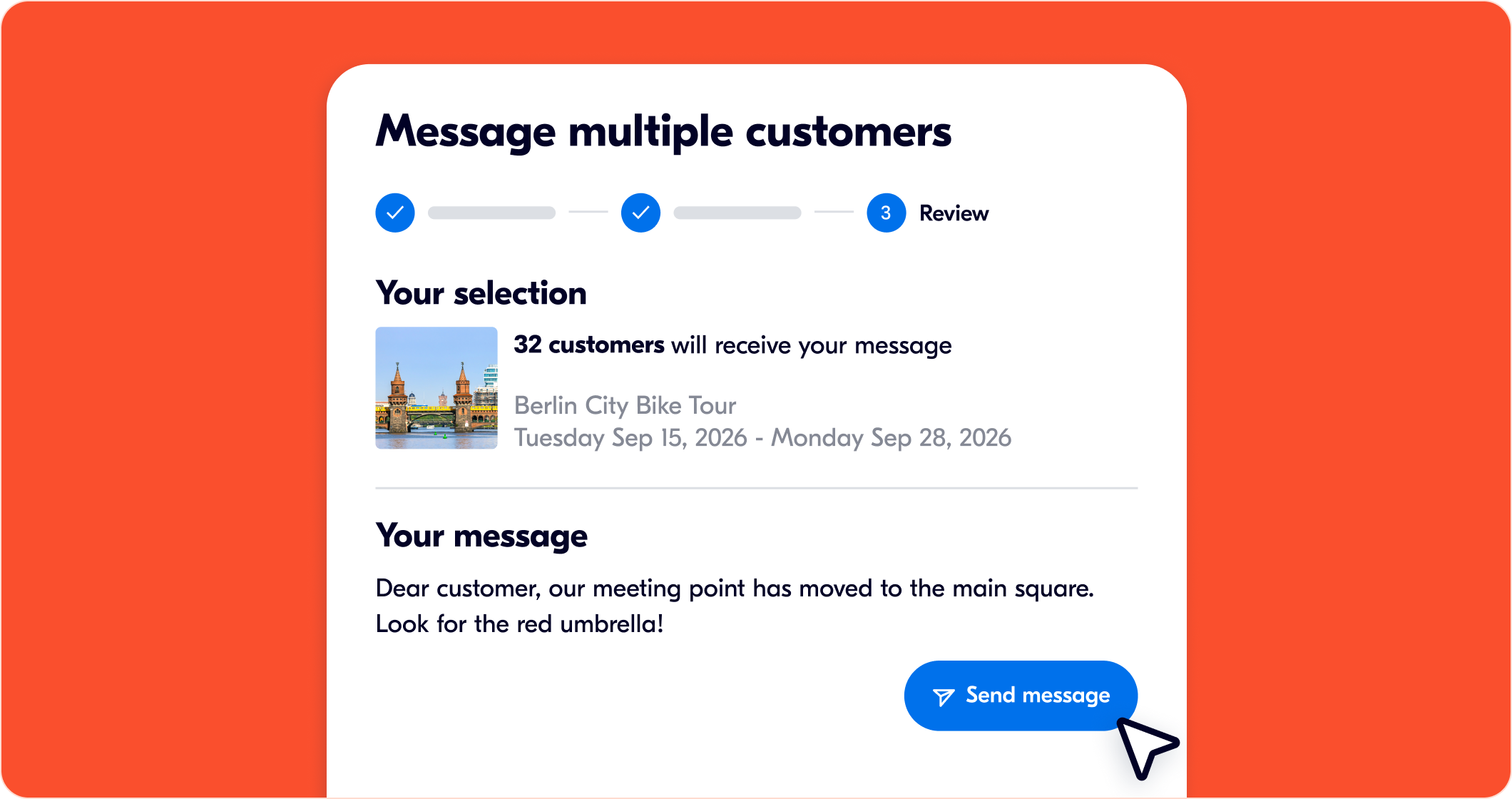
Also new in Messages this season:
- Attach a photo or file to individual messages — maps, vouchers, vehicle photos, whatever travelers need before they arrive.
- Read receipts so you can see who's actually opened your message.
- Your messages are automatically translated into each traveler's language in their app or email. You write it once.
Travelers who arrive informed tend to have better experiences. And better experiences tend to turn into better reviews.
→ Try it out under Bookings
Introducing Creator Reviews (beta)
Nine out of ten travelers check reviews before booking. And our research shows they're three times more likely to book an activity with 3 reviews than one with none.²
For a new listing, that's a real problem: you need reviews to get bookings, and bookings to get reviews.
Creator Reviews (now in beta) gives newer activities a way to get there a litte faster. You offer one free booking on an eligible activity. A member of our Creator Community — travel bloggers, local experts — books it, takes part like any other traveler, and leaves an honest review with photos within 48 hours.
To be eligible: your activity needs fewer than 3 reviews, a minimum group size of 1, and at least one available date in the next 7 days.
These reviews tend to be longer and more specific than average, because creators know what other travelers want to know before they book.
Learn more about Creator Reviews ∙ Opt in
² Travel Experiences Trend Tracker, Spring 2025, GetYourGuide proprietary research.
And there's more
We've also shipped several improvements for your day-to-day; you can discover them on the release page: See all Fall 2026 updates.
What's new for travelers
We've also made improvements on the traveler side that affect how your listing shows up and how people experience it. For example:
- A new mobile ticket design tailored to activity types with larger QR codes, clearer meeting points, and offline access.
- Translated reviews: every review is automatically shown in each traveler's language.
- Maps on desktop: travelers can search by neighborhood, address, or hotel name.
- AI-generated FAQs: built from your content, reviews, and policies, so travelers get answers before they reach out.
- Faster checkout: returning travelers can pay with stored cards.
- New payment options in Asia: KakaoPay, AliPay, and DANA are now live for travelers in South Korea, Malaysia, Indonesia, and Hong Kong.
GetYourGuide is now also available as a connected app on Gemini, alongside ChatGPT. Travelers can search and book experiences without leaving their AI assistant. Your listings are already there — nothing to do on your end. But it's a growing way for travelers to discover activities, which makes strong photos, good descriptions, and early reviews matter even more.
Every one of these improvements is designed to get more high-intent travelers to your listing and reduce the friction between discovery and booking.
Join us online
Want to hear more? Join our live webinar on September 23, 2026, at 4:00 PM CET with members of our Product team. We'll walk through some of the updates with time for Q&A.
→ See all Fall 2026 updates