



Picture this: It’s 8 a.m., and your tour starts in an hour. You’re juggling WhatsApp messages, hotel front desks, and last-minute voicemails, all just to get everyone in the van on time. Managing pickups across different tools makes it hard to keep everything organized, and it's easy to miss important details.
Smooth pickups are especially important when considering that logistics issues consistently appear as a top factor in negative tour reviews (Source: Spring 2025 Travel Experience Trend Tracker, Pages 37-42).
The Pickup Planner was designed precisely to help with the challenges of manually coordinating pickups, so you can focus more of your energy on providing the best possible experiences for your guests.
In this post, we’ll cover how the pickup planner can help, how to use it, and examples of how it fits into your daily work.
How the Pickup Planner can help your daily operations
Arranging pickups used to mean relying on manual customer outreach via phone calls, group chats, and emails to confirm times, locations, and special instructions.
We created the Pickup Planner so you can manage all your pickups in one place rather than juggling multiple threads across individual bookings.
Managing all your pickups in one place enables you to:
- Speed up pickup coordination with direct control from the Supplier Portal
- Save time by eliminating manual customer outreach for pickup details
- Keep your customers better informed with automatic updates
- Spend less time answering questions about pickup details
- Quickly change pickup times and places with real-time editing capabilities
These features will ensure you can consistently offer a reliable pickup experience for your customers, whether you have a few bookings or many.
The Pickup Planner is an essential tool for your daily operations. Yet, you may still be wondering how it works in practice.
Next, we’ll cover everything you need to know to get started.
How to use the Pickup Planner
The Pickup Planner provides a centralized interface that enables you to edit pickup details for individual bookings (like pickup times, instructions, and location) directly through the Supplier Portal.
To get started:
- Log into the Supplier Portal
- Navigate to Bookings
- Select Pickup Planner
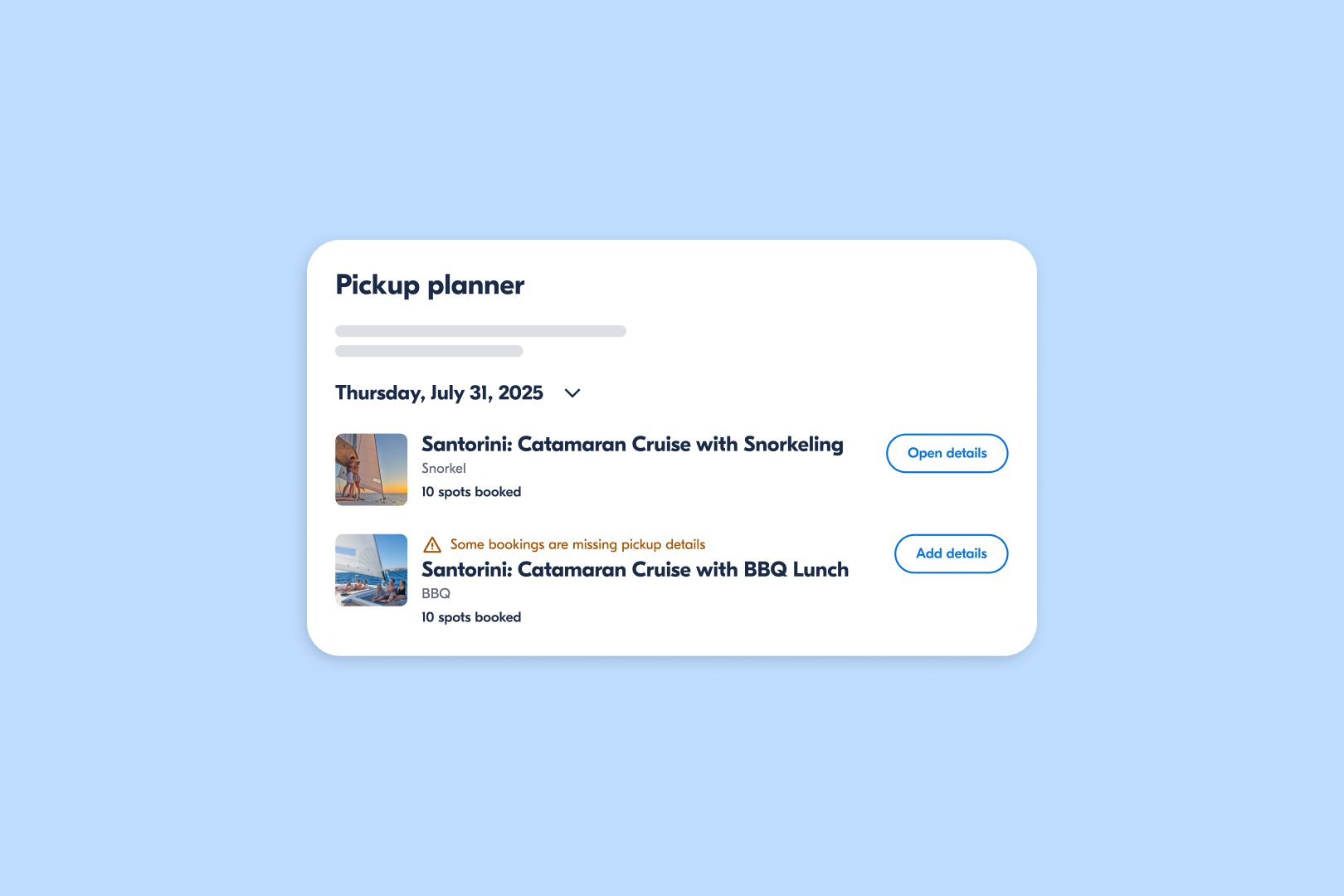
From there, you’ll have access to a dashboard that offers:
- An overview of all upcoming bookings requiring pickup
- Helpful filters to find specific timeframes and tours
- A to-do list format showing bookings needing pickup details within 24 hours
- A user interface that flags potential issues like missing pickup locations or inconsistent times
- Automatic traveler notifications via email and push notifications when you make changes
On this same page, you can also edit pickup instructions, location details, pickup times, and more. For more detailed, step-by-step instructions on how to use the Pickup Planner feature, check out the Pickup Planner FAQ page.
Put the Pickup Planner into practice: top use cases
To help you get the most out of the Pickup Planner, we’ve outlined a few common scenarios where this feature can be especially helpful.
The following use cases show how the Pickup Planner can simplify your daily operations by helping you to more easily confirm details, coordinate with guests, and adjust your route on the fly.
1. Track your pickup to-do list
When you’re operating tours all day, it’s easy to lose track of bookings that still need pickup details confirmed. Maybe one guest still hasn’t checked into their hotel, another needs to be picked up from a separate accommodation, and the other two aren’t responding to your messages.
Before, you’d have to chase up four separate bookings and sift through message threads to keep track of all these details.
The Pickup Planner allows you to get a quick overview of all bookings that still need pickup details in one place. It creates a to-do list that shows exactly which bookings need your attention. You can sort them by time, tour, or level of urgency. This helps you stay on track of all these details so you’ll have more headspace to focus on your guests.
2. Coordinate pickups with ease
Imagine that it’s 9 a.m. and your city tour includes guests staying at 5 different hotels, where one is particularly out of the way.
Previously, coordinating pickup meant sending out a round of separate messages and hoping everyone replied in time so you could finalize the logistics.
With the Pickup Planner, you can view and coordinate each guest’s pickup details in one place instead of managing multiple different conversations separately. You can propose the most convenient pickup spot, set the time, and include any special instructions (like “meet outside at the south entrance” or “look out for the blue van with our logo”)).
The best part is that all guests automatically receive a notification with all relevant info. This makes both organizing pickups and communicating with guests simpler, which helps build trust and reliability in your service.
3. Optimize pickup routes in just a few clicks
Let’s say you’ve finalized your guest list and are now ready to hit the road. But just as you’re entering the first pickup address into your GPS, you see that there’s construction near the designated pickup point.
With the Pickup Planner, you can quickly adjust your route, modify guest pickup locations in real time, and tweak pickup times.
The Pickup Planner makes it easier to handle special requests, like last-minute changes. This means no more mental gymnastics trying to reshuffle your route on the fly while fielding phone calls and emails.
The Pickup Planner gives you the flexibility to adjust pickups with more ease.
Ready to try it out?
Coordinating multiple pickups as you grow your business no longer has to be a hassle. With the Pickup Planner, you can manage the entire process in one place.
We can’t wait to see how it helps make the tour experience more enjoyable, for you and your guests. It’s available for all suppliers. Try it now to manage upcoming bookings for more smoother, more efficient pickups.
.png)
.png)